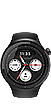
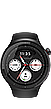
Your moto watch is a smart watch that can analyze your exercise patterns, monitor your health, and provide you with a variety of convenient apps. You can browse the various...
Read More.You can make and answer calls on your smartphone from your watch when they are connected. Make a call To make a call from the Dial pad app : Press the Crown once from the watch face to open...
Read More.Check your watch's status and configure settings from quick settings. To access quick settings swipe down from the watch face. Note : Icons on your watch may change. Icon Function ...
Read More.The crown and function buttons allow you to perform specific tasks on your moto watch. Button Actions Crown When the watch is off, press and hold the Crown to turn it on. When the watch is on...
Read More.Charge your watch with the magnetic charging pad included in the box. Align the charging pad’s pins with the charging contacts on the watch back, then place the watch on the charging pad. ...
Read More.Tailor your watch to your wardrobe, your mood, or the moment. moto watch is compatible with various 22mm bands. Whether you’re dressing up for a meeting or winding down on the weekend, you...
Read More.You can pair this device with phones running Android 12 or later after installing the companion app on your phone. Open the Moto Watch app on your Android phone. Log in to your Moto or...
Read More.You can easily adjust the display options on your watch by opening the moto watch app. To change display settings: Open the Moto Watch app on your phone. Tap Settings > Display...
Read More.No matching FAQs
Try another question or category.
 Upgrade Schedule
 USB Drivers
 Software Fix
 Security Updates


 Motocare Services
 Motorola Standard Warranty
 Warranty Lookup