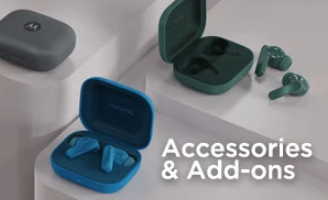

Charging case Earbuds LED indicator status When the LED indicator is: flashing blue earbuds are pairing flashing green four times earbuds are paired...
Read More.Follow the steps below to put on your moto buds loop. Open the Bridge to clip each earbud on. The Driver Housing (ball-shaped part) should go in front, and the Rear Housing (bean-shaped part)...
Read More.To use your earbuds, perform the following actions on your earbud’s Press either Control button once to play or pause music, or to answer or end a call. Press the left Control...
Read More.Charge your case using a USB-C® cable. Tips : To maximize usage time and battery life, store the earbuds in the charging case when not in use. Otherwise, the sensors will...
Read More.Put both earbuds into the charging case, then press and hold the function button for 12 seconds. Your device goes into factory reset status when the LED indicator flashes white. Follow the “...
Read More.Your wireless earbuds are designed to be compatible with a wide range of devices that support Bluetooth and audio features. This includes smartphones, tablets, laptops, and any other...
Read More.Your earbuds can be connected with two devices. Dual connection is off by default. Turn on dual connection so you do not have to manually switch connections. Note : To turn dual...
Read More.No matching FAQs
Try another question or category.
 Upgrade Schedule
 USB Drivers
 Software Fix
 Security Updates



 Motocare Services
 Motorola Standard Warranty
 Warranty Lookup