About Dolby Atmos Dolby Atmos delivers a premium listening experience through your phone's loudspeaker and connected devices. Smart audio automatically chooses the best settings for the media you're...
Read More.Turn on and connect Steps for Android 12 Open quick settings and tap Internet. Turn Wi-Fi on . Steps for Android 13, 14, 15, 16 Open quick settings and tap...
Read More.Get apps from Google Play Store To download apps: Open the Play Store app. Browse by category or search. Tap an item to see a description, read reviews, and download it. You'll see ...
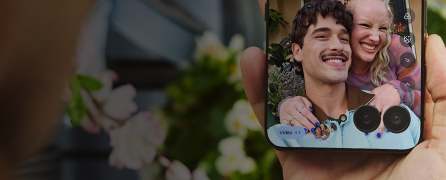
Read More.On the Camera screen, switch to the front camera: Tap Or, twist your phone twice. If needed: Adjust the beauty filter or choose if selfies are saved as mirrored. For a wider selfie, tap...
Read More.See two apps at the same time Depending on the app, you can sometimes use more than one app at once. You can also watch a video in a small window while you do other things. Use two apps at...
Read More.You can set up a screen lock to secure your phone. Each time you power on your phone or turn on the screen, you’ll be asked to unlock it. Set or change screen lock Go to ...
Read More.Set up screen saver While your phone is idle on a dock or charger, turn it into a desk clock, a photo frame to show off your pics, or more. Go to Settings > Display Tap...
Read More.Use Volume buttons In-call audio . When you’re on a call, the Volume buttons control the volume of the other person. Media . When you’re not on a call, the Volume buttons control media volume during...
Read More.You see the home screen when you turn on and unlock your phone or swipe up from the bottom of the screen. Swipe right or left to move between home screens. What’s on the screen Status...
Read More.



 Call Us
 Community