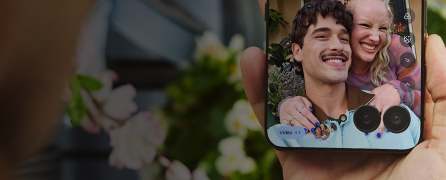
Switch camera lenses On the Camera screen, touch the icon to switch between the lenses on the back of your phone: 1X Standard Good in any setting. Use in challenging lighting situations. 2X...
Read More.Use grid or level for composition Tap > Capture Assistant. Adjust settings as needed: To see a grid for better framing your shots, turn Assistive grid on . To see a leveler, so...
Read More.Choose how to get around If you see the navigation bar at the bottom of the screen, or you see no icons at all, you are using Gesture navigation. If you see at the...
Read More.Adjust screen brightness To set your screen's brightness, open quick settings and slide . Your phone automatically adjusts your screen to the light around you, with Adaptive...
Read More.Battery saver helps extend battery life until your next charge. Your phone can prompt you to activate it when the battery is low, or you can enable it anytime. Choose between Standard battery saver...
Read More.In the unlikely event that your phone becomes unresponsive, try a force reboot. Warning : Don't attempt to remove or replace the battery —doing so may damage the battery and could cause...
Read More.If your phone asks for a subsidy password when you insert your SIM card, that means it has been locked by a specific operator. Many service providers will lock devices for a pre-defined amount of...
Read More.You can use Google Lens with your camera to: Search for information about objects and surroundings: Learn about products, landmarks and buildings, plants and animals, books and...
Read More.Find your games and gaming tools in one place Note: If you are using a 4GB RAM device some Motorola Applications like Moto Gametime may be disabled or have feature limitations. This is an...
Read More.Backup by Google One allows you to automatically back up your phone. You can back up content, data, and settings from your phone to your Google Account. Backups are uploaded to Google servers and...
Read More.



 Call Us

 Community